Every appearance matters.
Choose exact forms, shiny palettes and supported visual genders. Artwork stays at its natural pixel scale; unavailable appearances are never substituted.
A SMALL ADVENTURE FOR YOUR TERMINAL
A favorite sprite. A new discovery. A collection that’s yours. Bring a little Pokémon adventure to the place you already call home.
01 / INSIDE THE ADVENTURE
Print artwork without a trainer, or start a local journey. Your encounters build your collection. Browsing is always just browsing.
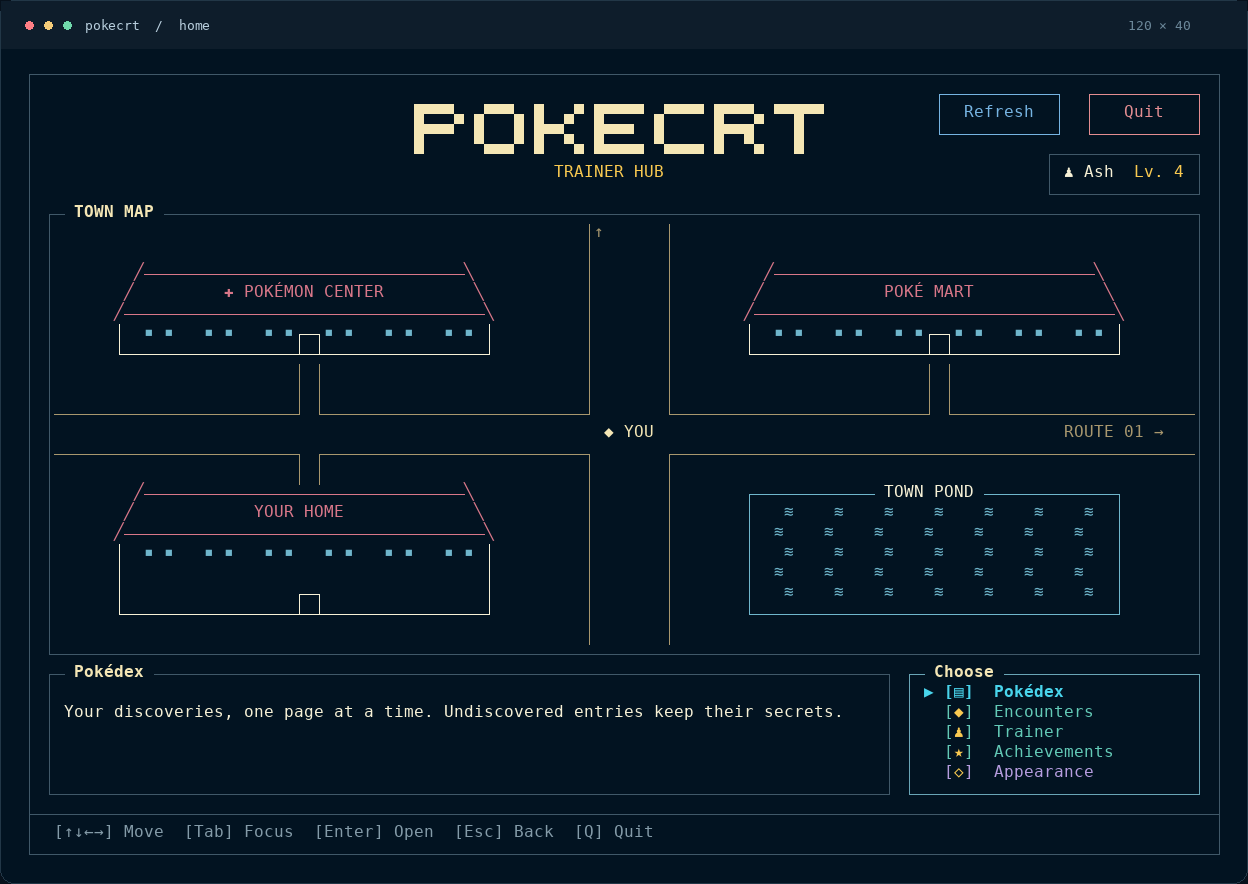
A Town Map, your trainer card and the next place to explore. Everything is one selection away.
Real app capture / sample trainerChoose exact forms, shiny palettes and supported visual genders. Artwork stays at its natural pixel scale; unavailable appearances are never substituted.
Use keyboard, mouse or both. Resize your view and switch among Dark, Light, Follow Terminal and Terminal Native appearances.
Profiles and settings stay on your machine. Printing and browsing don’t record encounters. Updating the executable preserves your saved progress.
02 / STRAIGHT FROM THE SHELL
No menu required. Print a favorite, filter your next pick or add a sprite to your shell setup.
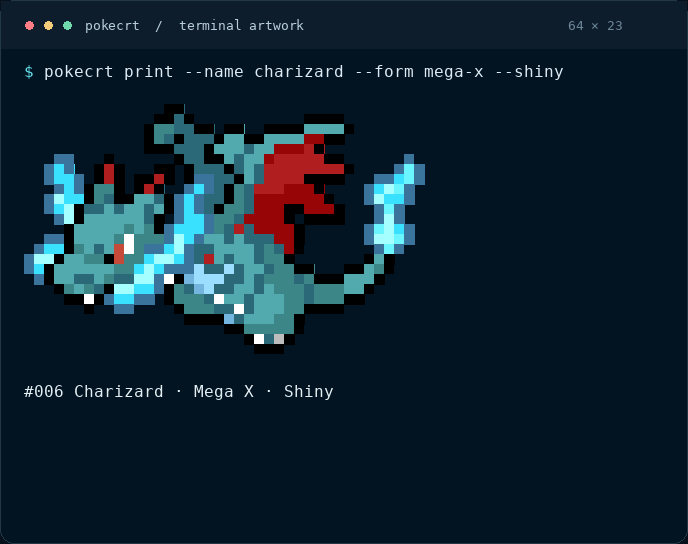
pokecrt print --name charizard --form mega-x --shiny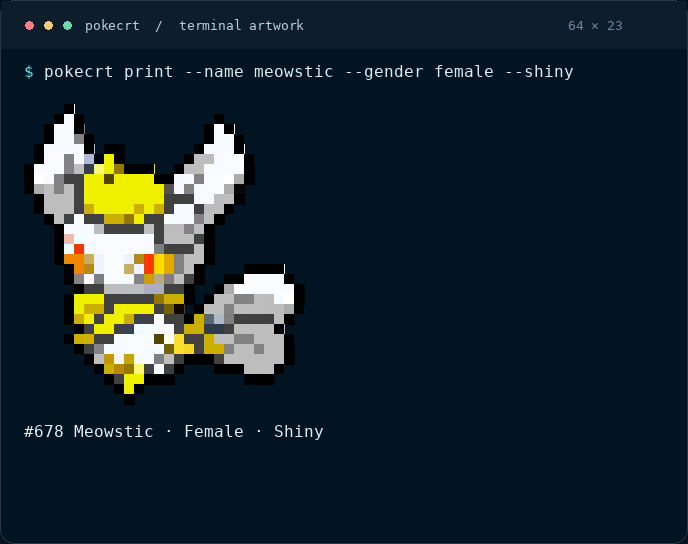
pokecrt print --name meowstic --gender female --shinyRandom encounters are a separate action. pokecrt print simply prints artwork. Read the command guide ↗
03 / TAKE A QUICK LOOK
A short trip through Home, the Pokédex, encounters, trainer progress, achievements and appearance settings.
Captured from the running app with a separate sample trainer.
Download the short tour ↓04 / MAKE IT YOURS
Linux amd64 · UTF-8 terminal · Truecolor recommended.
The interactive app needs at least 40 × 12 cells. Wide terminals give your artwork more room.
git clone https://github.com/mayanklad/pokecrt.git
cd pokecrt
go run ./tools/dataset \
  --sources tools/dataset/sources.json \
  --cache .cache/dataset \
  --mappings tools/dataset/mappings.json \
  --out . --fetch --prepare-assets --check
go build -o bin/pokecrt ./cmd/pokecrt
sh scripts/install.sh ./bin/pokecrt
pokecrt tui
Internet is needed to clone and prepare assets. Go 1.27+ is a build requirement, not a requirement for the packaged executable.
Download from the same release and verify its signed checksums before installation.
Package-file installation and verification ↗pokecrt trainer create Ash
pokecrt trainer use Ash
pokecrt encounterOr run pokecrt tui and follow the trainer creation screen. An encounter records progress; looking around doesn’t.
BEFORE YOU SET OFF
The built app works offline: artwork and metadata are embedded in the executable. Downloading a release or preparing a source build needs internet access.
The catalog covers all 1,025 species. Accepted artwork covers 1,017 species with 2,669 exact assets. Some forms and appearances are unavailable. PokéCRT reports this instead of showing a different sprite. See the coverage report.
It stays in local saved files on your machine. You can create multiple trainers. Replacing the executable preserves profiles and appearance settings; complete data removal is a separate, explicit step. Read about saved paths and installation.
Yes. Printing and public catalog access do not need a trainer. Run pokecrt print --name charizard, or use pokecrt list to explore the public catalog.
No. PokéCRT is an unofficial fan project. Original source code is MIT licensed; third-party code, metadata and Pokémon artwork retain their respective terms. No endorsement or rights-holder permission is claimed. Read the licensing details.
THE NEXT DISCOVERY IS WAITING.